

What Is a Staging Website, and Why Should I Have One?
When managing a website—especially a business-critical WordPress site—making changes directly on your live environment is risky. One plugin update, theme tweak, or code change can unexpectedly break functionality, slow performance, or even take your site offline.
This is where a staging website becomes essential.
A staging site allows you to test, refine, and validate changes safely before deploying them to your live website. Below, we’ll explain what a staging website is, how it works, and why it’s considered a best practice for professional website management.
What Is a Staging Website?
A staging website is an exact replica of your live website, hosted in a separate environment that is not visible to the public. It mirrors your:
-
WordPress core files
-
Themes and plugins
-
Database content (posts, pages, settings)
-
Site structure and functionality
The key difference?
Changes made on a staging site do not affect your live visitors.
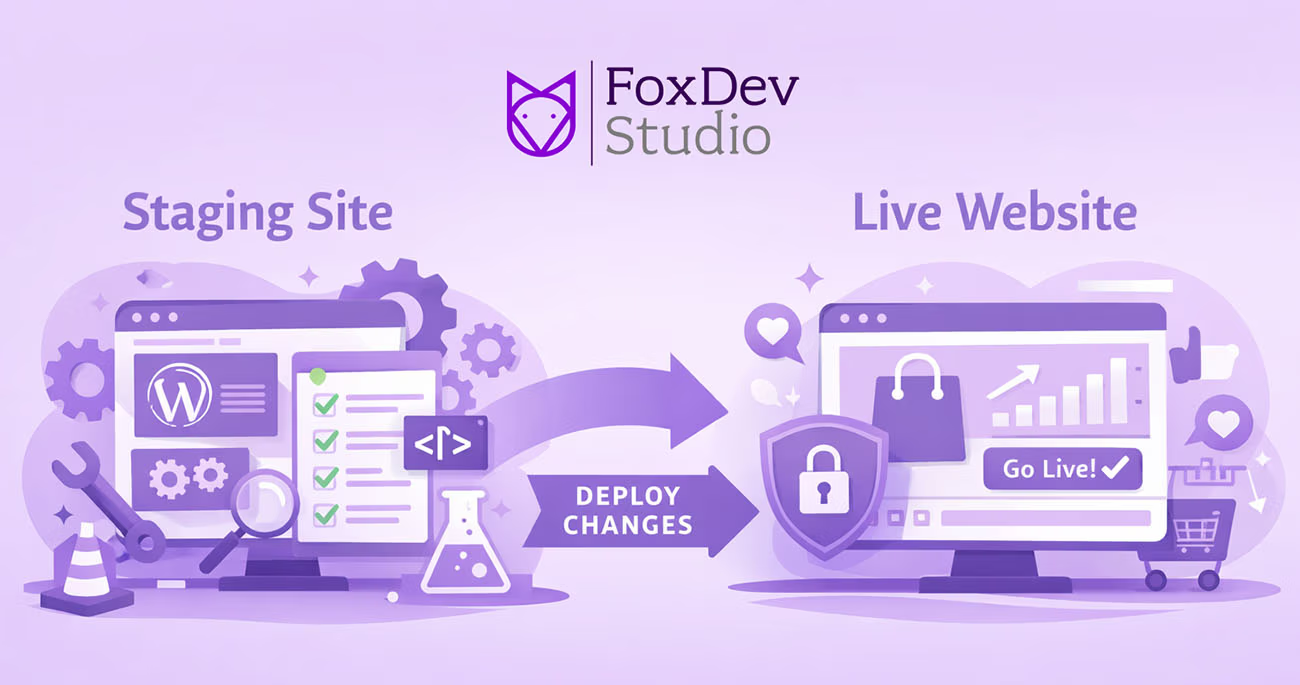
Think of it as a private sandbox where updates can be tested without consequences.
How a Staging Website Works
A staging site typically lives on:
-
A subdomain (e.g.,
staging.yoursite.com) -
A separate server environment
-
A password-protected or restricted-access area
The general workflow looks like this:
-
Clone the live site into a staging environment
-
Make updates or changes (plugins, themes, code, content)
-
Test thoroughly across devices and browsers
-
Push approved changes to the live site
This workflow dramatically reduces risk and downtime.
Why You Should Never Test Changes on a Live Website
Making direct changes on a production site can lead to:
-
White screens or fatal errors
-
Plugin or theme conflicts
-
Broken forms or checkout processes
-
SEO issues due to site errors or downtime
-
Poor user experience for real visitors
For business websites, even a few minutes of downtime can mean:
-
Lost leads
-
Lost sales
-
Damaged credibility
A staging site eliminates these risks entirely.
Key Benefits of Having a Staging Website
1. Safe Plugin and Theme Updates
WordPress updates frequently. A staging site lets you:
-
Test updates for compatibility
-
Identify conflicts before they go live
-
Avoid unexpected site failures
2. Stress-Free Design Changes
Want to:
-
Redesign a page?
-
Change layouts?
-
Test new UI elements?
Do it in staging first—without your audience seeing unfinished or broken designs.
3. Secure Development and Debugging
Developers can:
-
Test custom code
-
Debug errors
-
Optimize performance
All without exposing vulnerabilities or errors to the public.
4. Improved Team Collaboration
Staging sites allow:
-
Clients to review changes before launch
-
Teams to QA updates
-
Clear approval workflows
No more “surprise” updates going live.
When You Absolutely Need a Staging Website
You should always use a staging site if your website is:
-
An eCommerce store
-
A membership or subscription site
-
A lead-generation or sales platform
-
A high-traffic content site
-
Business-critical in any way
If your site generates revenue, leads, or credibility—staging is not optional.
Staging vs. Backup: What’s the Difference?
A backup allows you to restore your site after something breaks.
A staging site helps you prevent issues before they happen.
Both are essential—but they serve very different purposes.
| Feature | Backup | Staging |
|---|---|---|
| Prevents issues | ❌ | ✅ |
| Allows testing | ❌ | ✅ |
| Recovery after failure | ✅ | ❌ |
| Live-safe changes | ❌ | ✅ |
How We Use Staging at FoxDev Studio
At FoxDev Studio, staging environments are standard practice for:
-
WordPress core updates
-
Plugin and theme changes
-
Performance optimization
-
Security hardening
-
Feature development
This approach ensures:
-
Zero-downtime updates
-
Safer deployments
-
Higher-quality results for clients
Final Thoughts
A staging website is one of the simplest yet most powerful tools you can use to protect your website.
If you care about:
-
Stability
-
Security
-
Performance
-
Professional results
Then a staging environment should be part of your workflow—always.
Want Help Setting Up a Staging Site?
If you’d like help implementing a secure staging workflow for your WordPress site, contact FoxDev Studio, and we’ll handle it the right way.