

SQL Injection in WordPress: How to Prevent It
SQL injection remains one of the most persistent and damaging attack vectors against WordPress websites. Despite years of awareness, attackers continue to exploit weak code, outdated plugins, and poor access controls to manipulate database queries and gain unauthorized access.
This article explains what SQL injection attacks are, why WordPress sites are vulnerable, and—most importantly—how to prevent them using practical, layered security controls. The guidance below aligns with industry best practices and proven WordPress hardening strategies, including recommendations from ShieldPro, a security solution that FoxDev Studio, LLC actively supports and implements for clients.
What Are SQL Injection Attacks?
An SQL injection attack occurs when an attacker inserts malicious SQL code into a form field, URL parameter, or request that is improperly handled by an application. If the application does not sanitize or parameterize input correctly, the database executes the injected query.
In WordPress, a successful SQL injection can allow attackers to:
-
Read sensitive data (users, passwords, API keys)
-
Modify or delete database content
-
Create rogue administrator accounts
-
Escalate attacks into a full site compromise
SQL injection is particularly dangerous because it targets the database layer—often bypassing traditional front-end security controls.
What Makes a WordPress Site Vulnerable to an SQL Injection?
WordPress itself follows strong security standards. However, vulnerabilities usually arise from the surrounding ecosystem.
Common causes include:
-
Poorly coded plugins or themes
-
Lack of input validation and sanitization
-
Custom code using unsafe database queries
-
Outdated WordPress core, plugins, or themes
-
Excessive user privileges
-
No protection against automated attack traffic
Any plugin or custom functionality that interacts with the database is a potential attack surface if not implemented correctly.
Measures to Prevent SQL Injections
Preventing SQL injection requires a defense-in-depth approach. No single control is sufficient on its own. The following measures work best when implemented together.
Secure Coding Practices (For Developers)
Developers should always use WordPress’s database abstraction layer and prepared statements.
Key best practices include:
-
Use
$wpdb->prepare()for all database queries -
Never trust user input—sanitize and validate everything
-
Avoid dynamic SQL queries built from raw input
-
Follow WordPress coding standards consistently
Secure development dramatically reduces exposure but does not eliminate risk from third-party components.
Bad-Bot Blocking
Automated bots are responsible for the vast majority of SQL injection attempts.
Effective bot mitigation includes:
-
Blocking known malicious IPs and user agents
-
Rate limiting repeated requests
-
Detecting malformed or suspicious query patterns
Reducing bot traffic lowers attack volume and server load while protecting application logic.
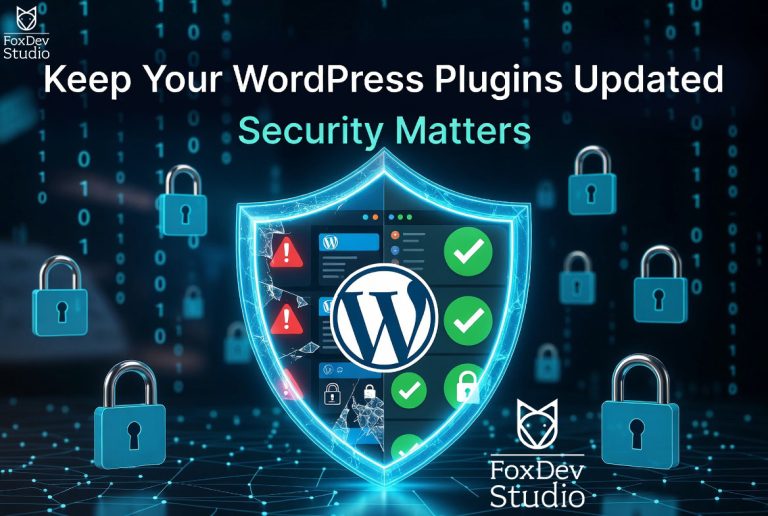
Running Regular Updates
Outdated software is one of the most common root causes of SQL injection vulnerabilities.
Best practices:
-
Keep WordPress core updated
-
Update plugins and themes promptly
-
Remove unused or abandoned plugins entirely
Many SQL injection exploits target vulnerabilities that were patched months—or years—earlier.
Using a Web Application Firewall (WAF)
A WAF provides proactive protection by filtering malicious traffic before it reaches WordPress.
A properly configured WAF can:
-
Block known SQL injection patterns
-
Detect abnormal request behavior
-
Prevent zero-day exploit attempts
Application-level firewalls are particularly effective when tailored specifically for WordPress.
Limiting User Permissions
Over-privileged user accounts increase the damage potential of any successful injection.
Recommendations:
-
Apply the principle of least privilege
-
Avoid granting administrator access unnecessarily
-
Review and remove inactive user accounts
Reducing access limits the blast radius of compromised credentials or malicious actions.
Running Regular Security Audits
Security audits identify vulnerabilities before attackers do.
A proper audit should include:
-
Plugin and theme risk assessment
-
Database integrity checks
-
File change detection
-
Review of user roles and permissions
Routine audits provide visibility and accountability across your WordPress environment.
Changing the Database Prefix
While not a complete defense, changing the default wp_ database prefix adds friction for attackers using automated scripts.
This measure:
-
Reduces the effectiveness of mass-exploit payloads
-
Helps block low-effort injection attacks
It should be considered a supplementary control—not a primary safeguard.
Three Ways to Prevent SQL Injection
If you need a concise starting point, focus on these three actions:
-
Use a WordPress-specific security plugin with SQL injection protection
-
Keep WordPress core, plugins, and themes fully updated
-
Block malicious bots and enforce least-privilege user access
Together, these steps eliminate the majority of real-world SQL injection threats.
Prevent SQL Injection and Protect Your WordPress Site With ShieldPRO
ShieldPRO provides layered protection specifically designed for WordPress, including:
-
SQL injection detection and blocking
-
Intelligent bad-bot mitigation
-
Firewall-level request inspection
-
Login and privilege enforcement
-
Continuous security monitoring
FoxDev Studio, LLC is a professional proponent and affiliate of Shield Security PRO. When deployed correctly, it significantly reduces exposure to SQL injection and other high-impact attacks.
If you are evaluating ShieldPRO, you can learn more using our referral link:
https://getshieldsecurity.com/?ref=1172
You can also review FoxDev Studio’s full list of trusted partners here:
https://foxdevstudio.com/affiliates/
Need Help Hardening Your WordPress Site?
Security plugins are powerful—but configuration, review, and ongoing management are critical.
FoxDev Studio, LLC provides professional WordPress security hardening services, including:
-
SQL injection risk assessment
-
Shield Security PRO configuration and optimization
-
Plugin and theme security reviews
-
WAF and server-level hardening
-
Ongoing monitoring and incident response
If you want expert assistance protecting your site, contact FoxDev Studio to discuss a tailored Security Hardening Project:
https://foxdevstudio.com/contact/
A properly secured WordPress site is not optional—it is a business requirement.