

WordPress Website Support: 6 Critical Signs You Need It
WordPress website support becomes essential when your site generates leads, receives customer inquiries, supports marketing campaigns, or connects important business systems.
A WordPress website can run quietly for months without showing an obvious problem. However, plugins still change, forms still need to deliver, backups still need to work, security risks continue to evolve, and visitors still expect every page to function correctly.
The website may look fine today while small problems accumulate underneath. A form notification stops working. A plugin creates a conflict. A backup fails silently. A page gradually becomes slower as new scripts and images are added.
Professional WordPress website support is not simply having someone click “update.” It is a practical safety net for a business asset that affects leads, customer trust, marketing performance, and daily operations.
Here are six signs that your WordPress website needs ongoing professional support.
1) Updates Feel Risky
If WordPress, plugin, or theme updates make you nervous, that is already a warning sign.
Updates are necessary for security and compatibility, but applying them without preparation can break layouts, forms, payment flows, integrations, or custom code. Even when the homepage still loads, an update may quietly affect a feature that is several steps deeper into the customer journey.
Reliable WordPress website support should include a repeatable update process:
- Review what is changing.
- Confirm that a recent and usable backup exists.
- Apply updates through a controlled workflow.
- Test important pages and features afterward.
- Maintain a rollback plan if something fails.
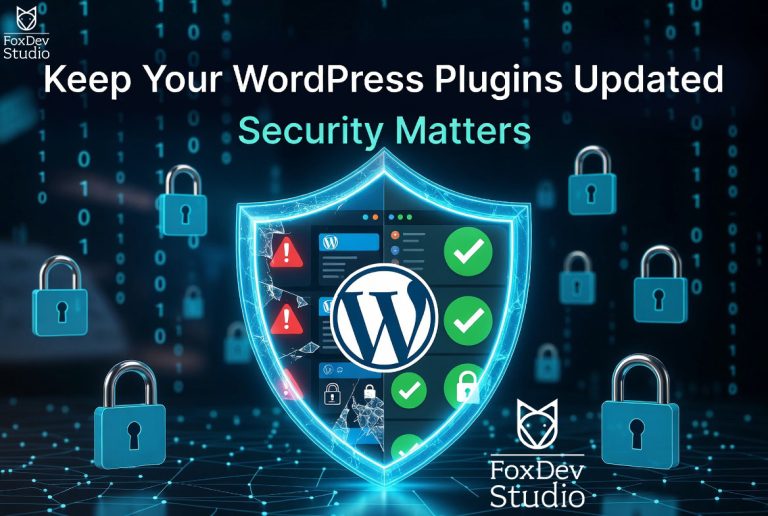
The official WordPress update documentation recommends backing up your website before beginning the update process.
Practical Example
A business updates its page builder before launching a marketing campaign. The homepage still loads, but a compatibility issue causes the mobile contact button to disappear.
Without post-update testing, the problem may remain unnoticed while paid traffic reaches a page that no longer provides a clear conversion path.
Takeaways
- Confirm that a recent backup exists before important updates.
- Review compatibility notes for major plugin and theme releases.
- Test the homepage, service pages, forms, and mobile layouts afterward.
- Use a staging environment when an update carries significant risk.
- Maintain a documented rollback process.
Related service: WordPress Maintenance and Security
2) The Website Has Business-Critical Forms
A contact form, estimate request, booking form, application, or client intake form is not merely a design element. It is part of the business’s sales and communication process.
Forms can fail because of plugin updates, email delivery problems, aggressive spam filtering, JavaScript errors, hosting restrictions, expired integrations, or configuration changes.
In some cases, the visitor sees a successful submission message even though the business never receives the inquiry. That makes the problem difficult to notice without regular testing.
Ongoing WordPress website support should include periodic form submissions, notification checks, spam reviews, and testing of any systems connected to the form.
Practical Example
A contractor receives most new inquiries through an estimate request form. A mail configuration change causes notifications to stop reaching the business inbox, but the form continues displaying “Thank you.”
Regular submission testing would identify the failure before several potential jobs are lost.
Takeaways
- Submit test entries through every important form regularly.
- Confirm that notifications reach the intended inbox.
- Store entries in WordPress or another secure system when appropriate.
- Monitor spam protection so it does not block legitimate customers.
- Test confirmation pages, automated replies, and connected integrations.
- Confirm that phone and email links work on mobile devices.
3) No One Checks Backups Until Something Breaks
A backup is only valuable if it is complete, recent, accessible, and restorable. Having a backup plugin installed does not guarantee that the website can be recovered.
Backups may fail silently, exclude important files, remain stored only on the same server, or become too old to provide a useful recovery point. Some businesses only discover these problems after the live website has already failed.
A proper support plan should make recovery predictable before an emergency occurs.
Practical Example
A plugin update causes a critical error. The hosting provider has a backup, but it is seven days old. Restoring it would remove a week of form entries, orders, and content changes.
An independent daily backup would provide a much safer recovery point and reduce the amount of business data at risk.
Your Backup Plan Should Answer These Questions
- Where are the backups stored?
- How frequently do they run?
- Do they include both website files and database content?
- How long are backup copies retained?
- Are backups stored separately from the live server?
- Who knows how to restore the website?
- What is the rollback plan after a failed update?
If those answers are unclear, the website needs support before the next emergency.
4) Poor Performance Has Become Normal
Website performance often declines gradually. A new plugin adds scripts, an uploaded image is too large, a caching rule changes, or a third-party widget begins loading on pages where it is not needed.
Because the slowdown happens over time, the business may begin accepting it as normal. Visitors are less forgiving.
A slow or unstable website can increase abandonment, weaken trust, and reduce the value of search traffic, referrals, social media posts, and paid advertising.
WordPress website support should include regular reviews of the pages that matter most, including the homepage, main service pages, contact page, and landing pages used in active campaigns.
Practical Example
A service business adds a chat widget, multiple tracking scripts, and several large project photos. The homepage still looks correct, but mobile visitors now wait several seconds before they can interact with it.
Compressing the images, reviewing the cache, and limiting scripts to relevant pages may solve the problem without requiring a complete rebuild.
Takeaways
- Monitor the homepage, primary service pages, and contact page.
- Compress and resize images before uploading them.
- Review plugins, scripts, fonts, and third-party widgets.
- Confirm that caching is configured and serving current content.
- Measure performance on mobile connections, not only office Wi-Fi.
- Retest important pages after adding new marketing tools.
Performance support does not always require a redesign. Focused improvements to images, caching, plugins, scripts, or heavy page sections can produce meaningful results.
5) The Website Has Custom Features or Integrations
Custom forms, code snippets, tracking scripts, redirects, member areas, imports, payment systems, and API connections make a WordPress website more useful.
They also increase the importance of understanding how its different parts work together.
If custom behavior breaks, a generic plugin update checklist is not enough. Someone needs to understand what the feature does, what systems it depends on, and how to verify the complete workflow after changes.
For websites with custom functionality, WordPress website support must go beyond confirming that individual pages still load.
Practical Example
A website sends new form submissions to a customer relationship management system. The form still works after an update, but the integration stops creating leads.
Testing only the visible confirmation message would miss the actual business failure. The full workflow must be tested from form submission through delivery to the final system.
Takeaways
- Document important custom features and their dependencies.
- Test complete workflows instead of checking only individual pages.
- Track API credentials, webhooks, licenses, and renewal dates securely.
- Identify which features require specialized development support.
- Retest integrations after relevant updates or hosting changes.
- Record how each business-critical feature is expected to behave.
Related service: WordPress Development Services
6) You Only Think About the Website During Emergencies
If the website only receives attention when something is broken, every repair becomes more stressful and potentially more expensive than necessary.
Ongoing WordPress website support turns the site into a maintained system instead of a recurring surprise. Small issues can be identified early, updates can be planned, and improvements can be prioritized according to their business impact.
Practical Example
A company discovers a broken mobile menu one hour before sharing its website at an event. Regular checks could have identified the problem earlier and allowed the team to fix it without time pressure.
Another business may only notice a performance problem after launching paid advertisements. The campaign continues spending money while visitors abandon the slow landing page.
Proactive support reduces the chance that technical problems will be discovered at the worst possible moment.
This does not mean every business needs an enterprise-level maintenance plan. The appropriate level of support should match the website’s risk and importance.
A small informational website has different requirements from a lead-generation website with active campaigns, forms, analytics, testimonials, payments, and custom workflows.
What WordPress Website Support Should Include
A useful support relationship should clearly define what is covered. At minimum, ask whether the plan includes:
- WordPress, theme, and plugin update management
- Backup reviews and restore planning
- Security and spam checks
- Form and contact-path testing
- Basic performance reviews
- Troubleshooting when something breaks
- Small content or layout adjustments
- Testing of important custom features
- Monitoring of business-critical pages
- Clear escalation for larger development projects
- Regular reporting on completed work and identified risks
The best support plan is specific enough that both sides understand what happens every month, how urgent problems are handled, and what qualifies as separate project work.
A clear scope also prevents misunderstandings. Routine maintenance, emergency troubleshooting, new feature development, and complete redesigns are different types of work and should be treated accordingly.
DIY Maintenance vs. Managed WordPress Support
DIY maintenance can work when the website is simple, low risk, and someone has the time and technical confidence to maintain it properly.
Managed WordPress website support becomes more valuable when the website:
- Generates leads or sales
- Supports active marketing campaigns
- Contains custom functionality
- Processes payments or registrations
- Connects with external business systems
- Receives frequent content changes
- Would cost the business money or trust if it stopped working
The most useful question is not:
“Can I click the update button myself?”
The better question is:
“Can I test everything that depends on this update, and can I restore the website safely if something fails?”
Clicking the button is the easy part. Understanding the consequences, verifying the result, and recovering from failure are what make maintenance a professional responsibility.
Quick WordPress Support Readiness Check
Use this checklist to decide whether your current process provides enough protection:
- Do you know when the website was last fully backed up?
- Has anyone tested whether a backup can be restored?
- Are forms and notification emails tested regularly?
- Are plugin and theme updates handled through a consistent process?
- Does someone monitor the pages responsible for leads?
- Are custom features and integrations documented?
- Are important workflows tested after updates?
- Can someone respond quickly if the website breaks?
- Do you know which problems are covered by your current provider?
- Is there a clear path for larger development requests?
If the answer is no to several of these questions, the business probably needs a more dependable WordPress website support process.
Need Steady WordPress Website Support?
FoxDev Studio helps businesses maintain, troubleshoot, and improve WordPress websites without waiting for a crisis.
Support can include controlled updates, backup reviews, form testing, performance checks, plugin troubleshooting, security improvements, and focused changes based on the website’s actual needs.
Ask about WordPress maintenance
For one-time problems or larger technical needs, you can also use the contact page to describe what is happening and which parts of the website are affected.
Frequently Asked Questions
What Does WordPress Website Support Include?
WordPress website support can include updates, backups, security reviews, form testing, performance checks, troubleshooting, small content changes, integration testing, and recovery planning.
The exact scope should be documented so the business knows which tasks are covered and which requests require a separate project.
How Often Does WordPress Need Maintenance?
Business-critical WordPress websites should be reviewed regularly. The appropriate schedule depends on the number of plugins, custom code, traffic, form importance, integrations, and how frequently the website changes.
A frequently updated lead-generation or ecommerce website usually needs more attention than a small informational website.
What Happens if I Do Not Update WordPress Plugins?
Outdated plugins can create security risks, compatibility problems, broken layouts, or failed features.
The risk becomes greater when no one is checking backups or testing important pages after updates. Updates should not be ignored, but they should also be applied through a process that accounts for compatibility and recovery.
Is a Maintenance Plan Worth It for a Small Website?
It can be if the website generates leads or supports business operations.
The plan should match the website’s risk and clearly define expectations for updates, backups, testing, troubleshooting, and requested changes. A smaller site may need a lighter plan, but it still benefits from having someone responsible for essential checks.
What Is the Difference Between WordPress Maintenance and Support?
Maintenance is proactive care, including updates, backups, security checks, and routine testing.
Support is assistance when something requires attention, such as a broken layout, failed form, plugin conflict, performance problem, or requested improvement.
A useful ongoing plan often includes both.
Can Ongoing Support Prevent Every Website Problem?
No maintenance plan can eliminate every risk.
It can reduce preventable failures, identify problems earlier, preserve reliable recovery options, and provide a faster response when something goes wrong.
Why WordPress Website Support Matters
WordPress website support protects more than software. It protects the forms, pages, integrations, and customer journeys that connect the website to the business.
When updates feel risky, backups are uncertain, forms are critical, or problems only receive attention during emergencies, a structured maintenance plan can replace uncertainty with a repeatable process.
The objective is not to make constant changes. It is to keep the website reliable, recoverable, and ready to support the business when visitors need it.
Ready to make your WordPress website more dependable? Book a consultation with FoxDev Studio.
Related FoxDev support: For controlled updates, backup planning, troubleshooting, performance improvements, and ongoing technical care, FoxDev offers WordPress Maintenance and Security services.