
Protecting Your Site from Security Nightmares
WordPress powers over 40% of the internet, and plugins are what make it so powerful—adding everything from contact forms and e-commerce to SEO tools and page builders. But here’s the uncomfortable truth: those same plugins are also the #1 entry point for hackers.
In 2025 alone, 11,334 new vulnerabilities were discovered in the WordPress ecosystem—a staggering 42% increase from the previous year. Shockingly, 91% of these vulnerabilities lived in plugins, not in WordPress core itself.
Outdated or unmaintained plugins don’t just cause minor glitches—they leave your entire website wide open to attacks. In this post, we’ll break down the security risks, real-world consequences, and practical steps you can take to keep your site safe, fast, and reliable.
The Alarming Reality of WordPress Plugin Vulnerabilities
Security researchers and platforms like Patchstack, ShieldPro Security, and WPScan track these threats daily. The numbers paint a clear picture:
- Plugins account for 91–97% of all new WordPress vulnerabilities.
- Attackers weaponize many of these flaws within hours of disclosure—sometimes as quickly as 5 hours.
- Over 46% of vulnerabilities had no patch available at the time of public disclosure.
Even worse, high-severity vulnerabilities (the kind that lead to mass automated attacks) increased 113% year-over-year in 2025.
Common vulnerability types include:
- Broken Access Control (the most exploited)
- Cross-Site Scripting (XSS)
- SQL Injection
- Privilege Escalation
- Arbitrary File Uploads and Remote Code Execution (RCE)
These aren’t theoretical risks. In early 2026, attackers bought dozens of legitimate plugins (including popular ones in the “EssentialPlugin” suite), planted backdoors, and compromised thousands of sites through supply-chain attacks.
What Happens When You Don’t Update?
Neglecting plugin updates creates a perfect storm of security issues:
- Easy Exploitation — Hackers scan the web for sites running known vulnerable versions. An outdated plugin is like leaving your front door unlocked with a “Welcome” mat out.
- Malware Injection — Attackers can install backdoors, cryptominers, SEO spam, or ransomware.
- Data Breaches — Sensitive customer information, login credentials, or payment details can be stolen.
- Site Defacement or Blacklisting — Google may flag your site as unsafe, which can tank your traffic and reputation.
- Performance & Compatibility Issues — Old plugins can slow your site, break with new WordPress updates, or conflict with other tools.
Studies consistently show that outdated plugins are the leading cause of WordPress sites being hacked. One analysis found that over half of known vulnerabilities trace directly back to unpatched plugins.
Benefits Beyond Security: Why Regular Maintenance Matters
Updating plugins isn’t just about avoiding disasters. You also get:
- New features and improved functionality
- Better performance and speed optimizations
- Compatibility with the latest WordPress core, PHP versions, and other tools
- Bug fixes that keep everything running smoothly
In short, keeping plugins updated is one of the highest-ROI tasks you can do for your website.
Best Practices for Updating and Maintaining WordPress Plugins
Here’s a practical checklist you can implement today:
1. Make Updates a Routine
- Check your WordPress dashboard weekly (or enable email notifications).
- Prioritize security and critical updates immediately.
2. Use Auto-Updates Wisely WordPress supports automatic background updates for minor releases and security patches. Enable them for trusted plugins, but review major updates manually.
3. Test Before Updating (Especially on Live Sites)
- Use a staging environment or plugin like WP Staging.
- Always back up your site first (tools like UpdraftPlus or Duplicator Pro make this easy).
4. Delete What You Don’t Need. Unused or abandoned plugins are ticking time bombs. If a plugin hasn’t been updated in 6–12 months and you’re not actively using it, delete it.
5. Choose Plugins Carefully
- Stick to the official WordPress.org repository when possible.
- Check the “Last Updated” date, active installations, and support forum activity.
- Prefer plugins from reputable developers with a track record of timely security fixes.
6. Layer on Security Tools: Install a solid security plugin, such as:
- ShieldPro Security
- MalCare or Patchstack (for vulnerability monitoring)
These tools often alert you to vulnerable plugins and can even block attacks in real time.
7. Follow Official WordPress Security Guidance. The WordPress team emphasizes responsible disclosure, secure coding practices, and keeping everything up to date. They backport critical fixes to older versions to help keep more sites protected.
Let the Experts Handle It: Professional WordPress Maintenance
Even with the best intentions, staying on top of updates, security monitoring, backups, and optimizations can be time-consuming—especially if you’re running a business. That’s where professional help makes all the difference.
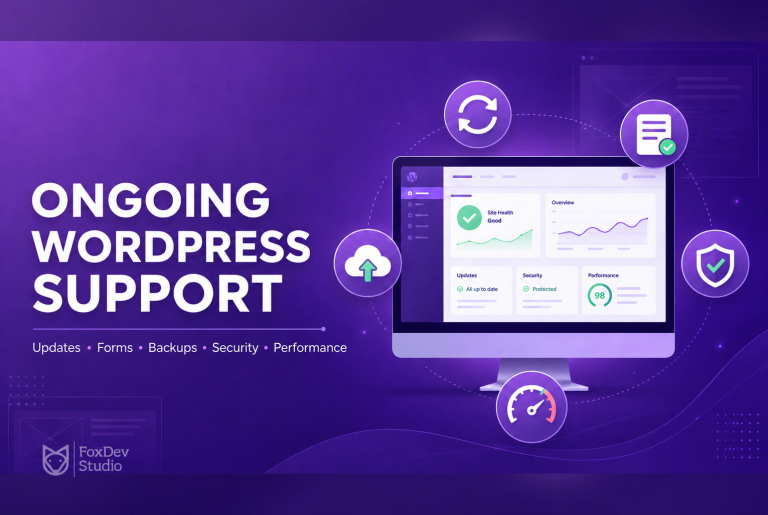
FoxDev Studio offers reliable WordPress maintenance packages designed to assist clients on a regular basis. Our team handles plugin and core updates, security audits, performance optimizations, backups, and proactive monitoring—so you can focus on growing your business instead of worrying about your website.
Final Thoughts: Treat Plugin Maintenance Like a Non-Negotiable Habit
Your WordPress site is an asset worth protecting. In an ecosystem where new plugin vulnerabilities appear at a rate of over 30 per day, staying current isn’t optional—it’s essential.
Updating plugins might feel like a chore, but it’s one of the simplest and most effective ways to dramatically improve your site’s security posture. Don’t wait for a breach to remind you why it matters.
Action step: Log into your WordPress dashboard right now and update everything that’s outdated. Then set a recurring calendar reminder to make it a habit.
If you’d rather have the experts manage it for you, contact FoxDev Studio today for a personalized maintenance plan. We’re here to keep your site secure, fast, and always up to date.
Your future self (and your visitors) will thank you.
Stay secure!